
Loading page
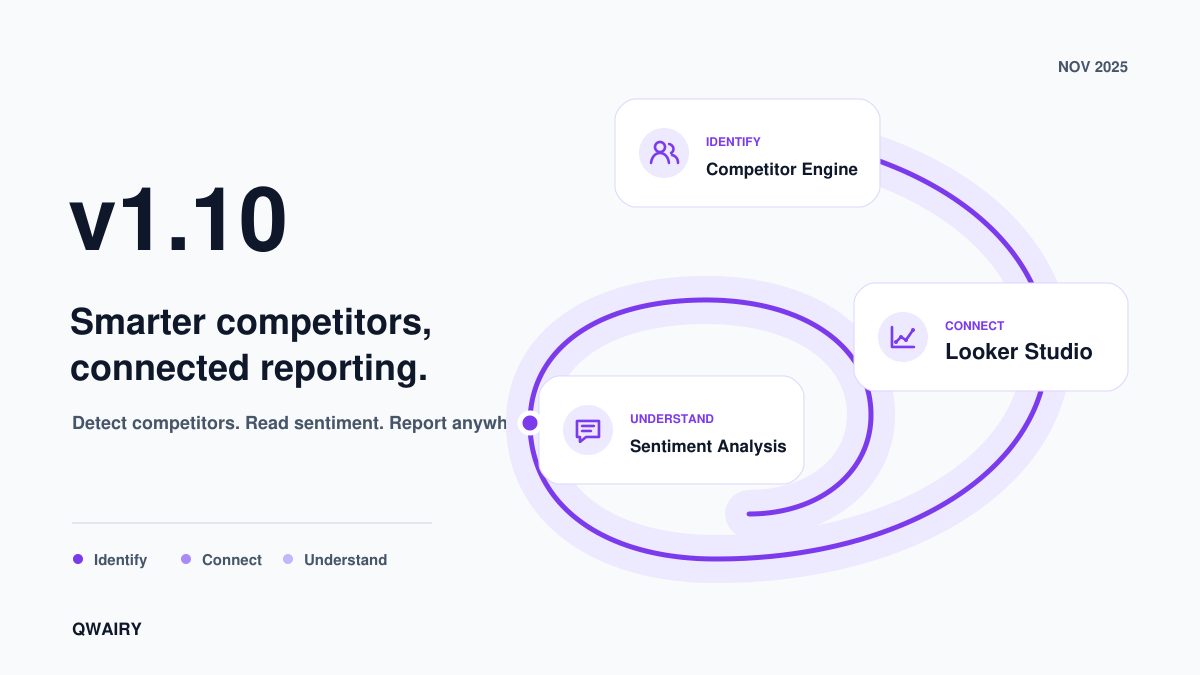
Discover our new competitor extraction engine that automatically identifies and classifies every competitor from your AI monitoring data. Plus Looker Studio integration to connect your GEO metrics to your dashboards, enhanced sentiment analysis, and a brand new dark mode.
You track your AI visibility. You monitor prompts. You see competitors appear in responses.
But which competitors? And how often? Until now, extracting competitor data from AI responses required manual work. Most tools miss indirect mentions, abbreviations, and contextual references.
v1.10 changes this. A new competitor engine automatically extracts and classifies every competitor from your monitoring data. Plus: Looker Studio integration, sentiment analysis, and dark mode.
The biggest challenge in competitor analysis isn't collecting data - it's extracting the right competitors from noisy AI responses.
Standard keyword matching misses 40-60% of competitor mentions. Why? AI responses rarely name brands explicitly. They say "tools like Notion" or "alternatives include..." without clear markers. Most platforms require you to manually define your competitor list upfront. That's backwards - you end up tracking competitors you already know while missing emerging threats. Worse: some tools extract any brand mentioned in a response, regardless of context. A SaaS company monitoring "best productivity tools" ends up with Nike in their competitor list because one AI response went off-topic about fitness. That's noise, not intelligence.
The v1.10 engine combines three detection layers:
Semantic matching - Detects brands even when paraphrased ("the Figma of video editing" → recognizes this refers to a competitor)
Domain inference - Extracts and validates domains from partial mentions ("check out acme.com" → verifies and enriches)
Historical patterns - Learns from your monitoring data which brands appear together in your category
Keyword-based tools | Qwairy v1.10 |
Manual competitor list | Auto-discovered from responses |
Exact match only | Catches indirect mentions |
Static tracking | Dynamic landscape updates |
The engine runs on every monitoring cycle. Your competitor dashboard surfaces emerging threats weeks before they show up in traditional market research.
💡 **Strategy tip:** Check your Competitors dashboard weekly. New entrants often appear in AI responses before they rank in Google.
Run a free audit: see if ChatGPT, Gemini and Copilot recommend you, in about a minute.
Your AI visibility data, in your existing reporting stack. Most teams already have Looker Studio dashboards for SEO and marketing. Now you can add GEO metrics alongside them - no context switching, no manual exports.
The connector exposes daily metrics via API:
Visibility scores by brand, provider, and date
Sentiment breakdown (positive/neutral/negative trends)
Share of voice vs. competitors over time
Citation sources driving your mentions
Provider comparison (ChatGPT vs. Perplexity vs. Claude performance)
Connect the API to Looker Studio to create executive dashboards combining SEO and GEO data in one view. A marketing team discovered their SEO rankings improved 3 weeks after their AI visibility increased - proving GEO as a leading indicator for organic search.
📊 **Pro tip:** Plot your AI visibility trend against organic traffic. The correlation will justify your GEO investment to stakeholders.
Being mentioned is table stakes. How you're perceived drives conversions. LLMs don't just count mentions - they weigh sentiment. A brand with positive perception gets recommended. A brand with negative sentiment gets deprioritized.
For every AI response, Qwairy now analyzes:
Tone - Positive, neutral, negative, or mixed sentiment
Context - What aspect is discussed (pricing, features, support, quality)
Source weight - High-authority sources flagged separately from community mentions
Detect reputation risks early. See negative sentiment spikes before they spread. Track complaint themes (pricing too high? onboarding too complex?) and prioritize fixes.
Benchmark against competitors. Compare your sentiment score vs. competitors on the same prompts. Identify perception gaps you can exploit.
Optimize your messaging. Find which features get praised vs. criticized. Detect confusion that needs clarification in your content optimization strategy .
See your mentions across ChatGPT, Claude and Perplexity in real time, the moment buyers ask.
A project management tool discovered 32% of mentions included negative sentiment about "complexity".
Their response: Simplified onboarding guides, "easy to implement" case studies, beginner-friendly documentation.
Results after 6 weeks: Negative mentions dropped from 32% to 14%, positive mentions increased 23%.
🧠 **Why it matters:** LLMs increasingly use perception signals when recommending brands. Positive sentiment boosts [citations](https://www.qwairy.co/blog/sources-vs-citations). Negative sentiment tanks them.
Full dark theme with system preference detection. Toggle manually or let it follow your OS setting. Easier on the eyes during late-night monitoring sessions.
These features are live for all users. Here's where to find them:
Competitors dashboard - See auto-detected competitors from your monitoring data
Workspace settings - Generate your Looker Studio API token
Response detail - View sentiment analysis on any AI response
Theme toggle - Top-right corner of the dashboard
Whether you're tracking competitors, building executive reports, or monitoring brand perception - v1.10 gives you the intelligence to act faster than the competition. 👉 Start your free trial or book a demo with our team.
Track your mentions across ChatGPT, Claude, Perplexity and all major AI platforms. Join 1,500+ brands monitoring their AI presence in real-time.
Free trial • No credit card required • Complete platform access
Other Articles
Source Authority: Find the Sources That Shape AI Answers
Source Authority reveals which domains consistently shape monitored AI answers, turning citation reach, consensus, momentum, breadth, and context into a practical source strategy.
Agencies: Turn AI Visibility Audits into New Business
A practical playbook for turning unlimited AI visibility audits without automatic expiration into an agency growth engine, from lead magnet to monitoring.