
Loading page
Launch your agency practice with pitch workspaces and a public directory. Run full GEO audits on any competitor with PDF export. Per-prompt monitoring frequency, redesigned Social Insights, and an AI Assistant now open to every user.
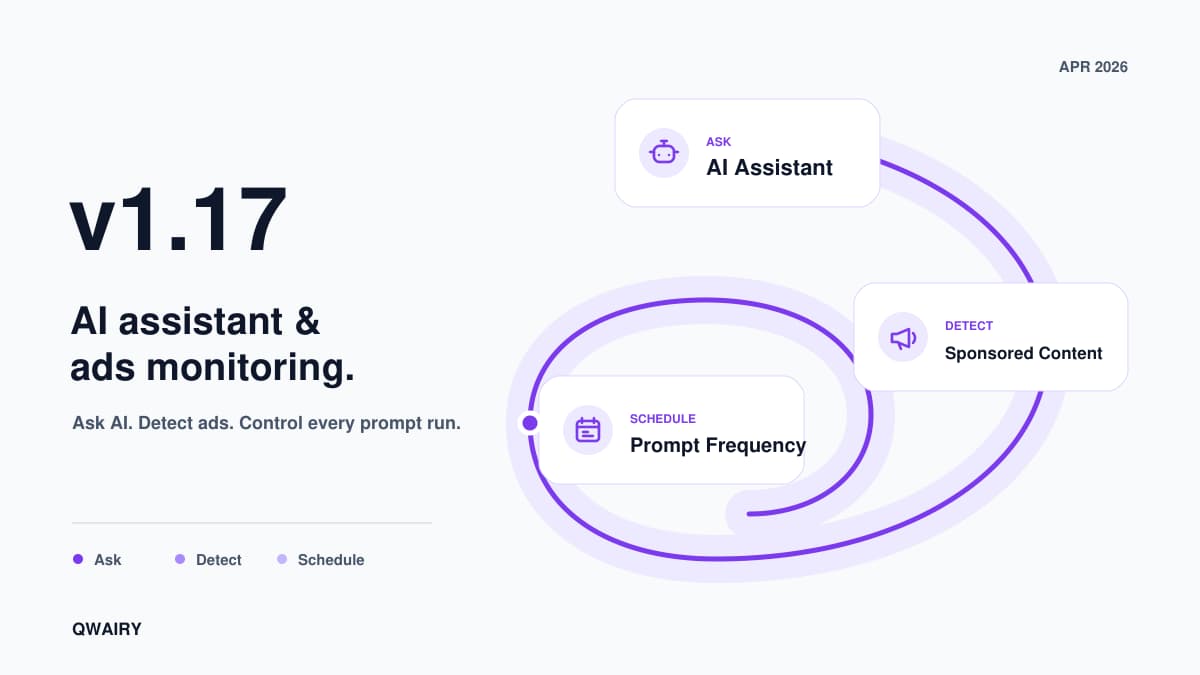
Recently we launched Qwairy MCP and we have been amazed by what our clients created with it. This is exactly why we launched our AI Assistant so that you can interact directly with our personalized Agent about your GEO Strategy. And there is more to that! V1.17 comes with Per-prompt monitoring frequency, redesigned Social Insights, Sponsored Content detection in ChatGPT (yes we have data about ChatGPT ads for you 😉). Finally our new feature Boost Mode is aimed to reduce AI volatility by permitting you to check one prompt multiple time!
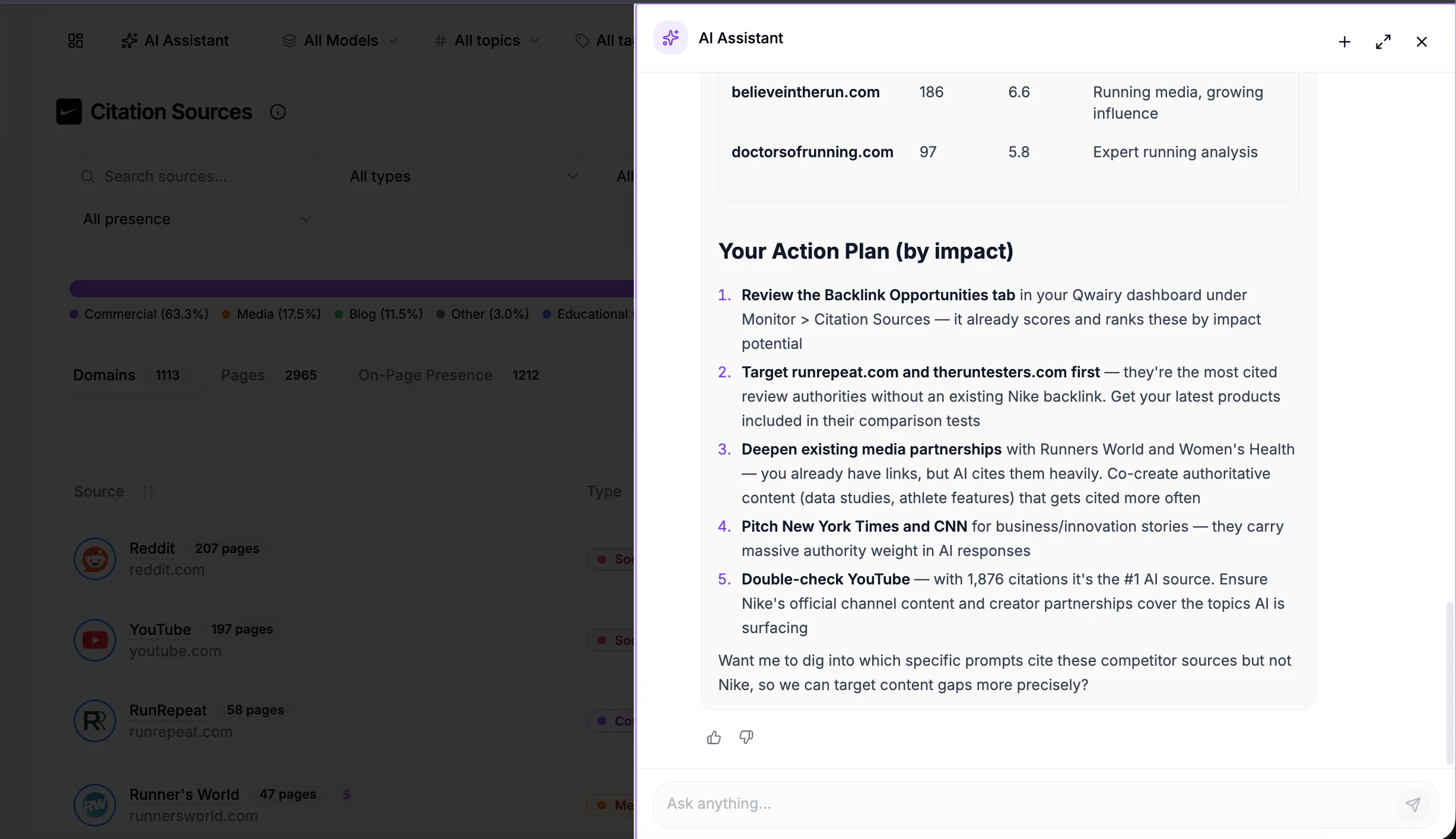
Previously admin-only, the AI Assistant is now available to every team member. It understands your brand context and answers questions in natural language:
"Which competitors gained the most share of voice this month?"
"What content should I create to improve my visibility on Perplexity?"
"Analyze my top 5 competitors and suggest priority actions"
Ask AI buttons appear throughout the dashboard - competitor pages, source details, prompt analysis. Each button pre-fills context for specific, actionable answers.
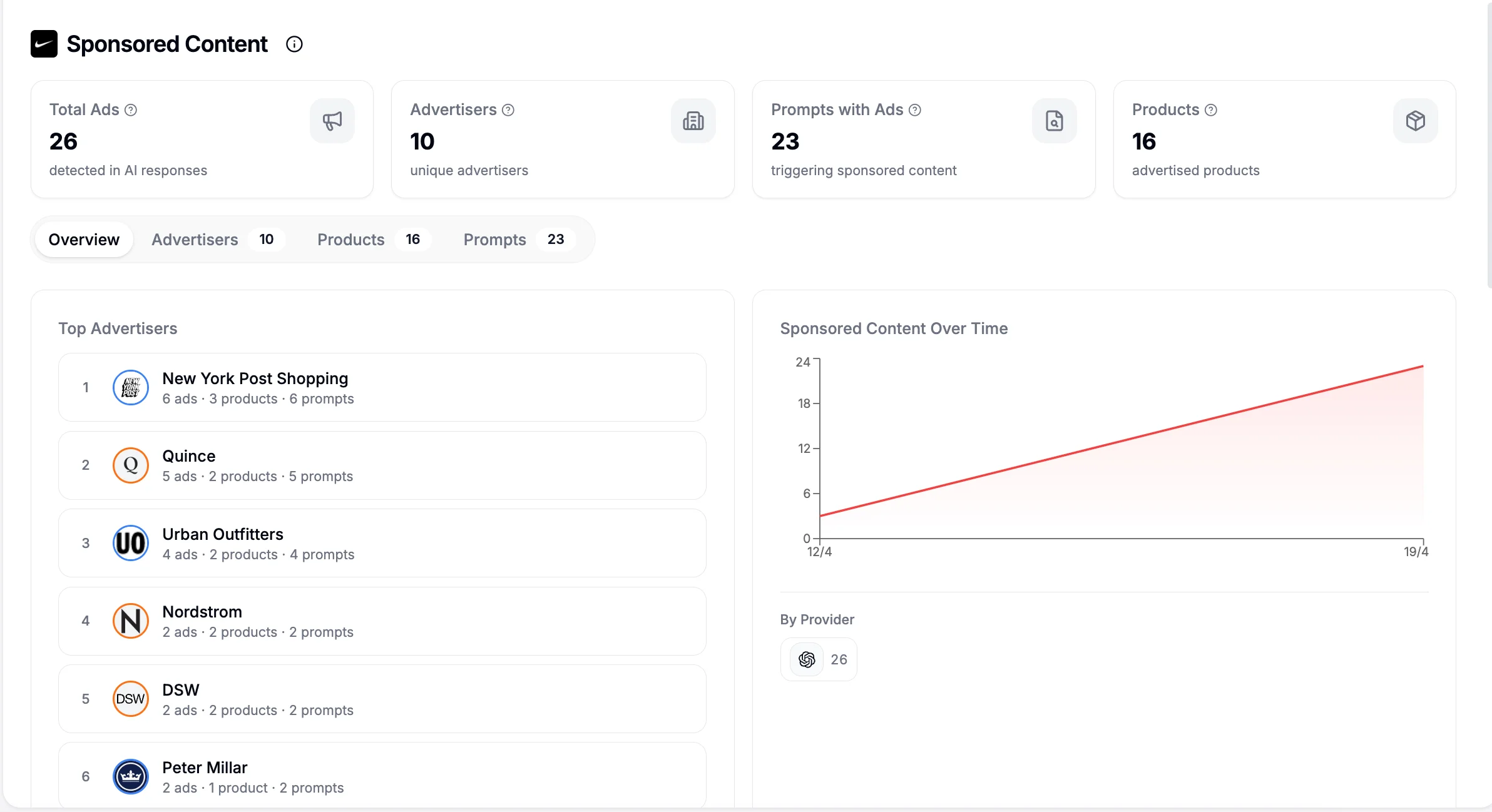
ChatGPT now displays sponsored placements in AI responses. Qwairy detects and tracks these ads automatically.
Advertiser tracking - which companies buy placements on your keywords
Product catalog - every advertised product with name, description, image
Prompt mapping - which prompts trigger sponsored placements
Competitor detection - advertisers matched against your competitor list
Provider breakdown - which AI providers show ads and how often
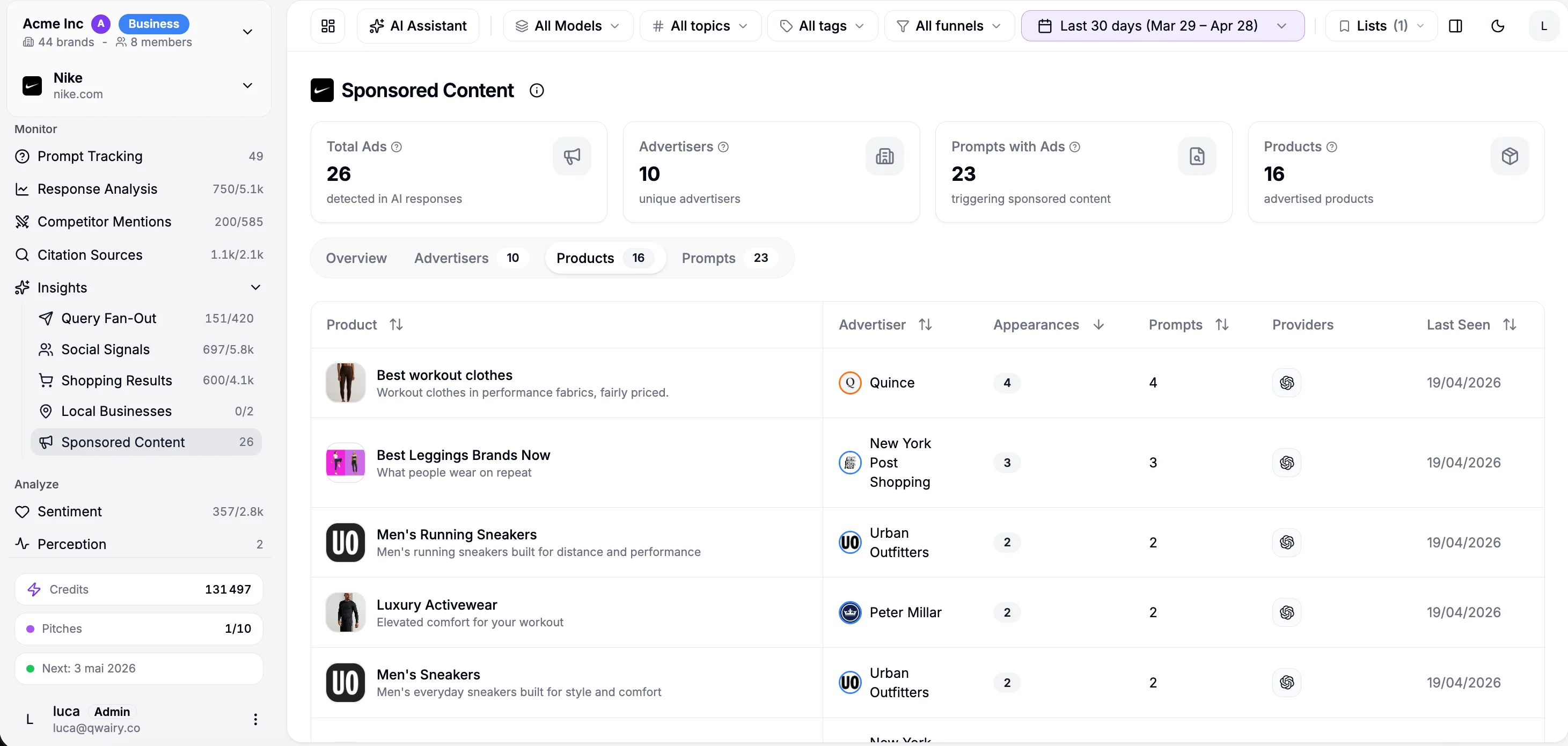
Monitor > Insights > Sponsored Content - dedicated page with Overview, Advertisers, Products, and Prompts tabs
Prompt and Response details - sponsored badges alongside shopping, social, local insights
Competitors - insight icons show which competitors advertise in AI responses
Filters - filter prompts and responses by sponsored content presence
Navigate to Monitor > Insights > Sponsored Content to explore.
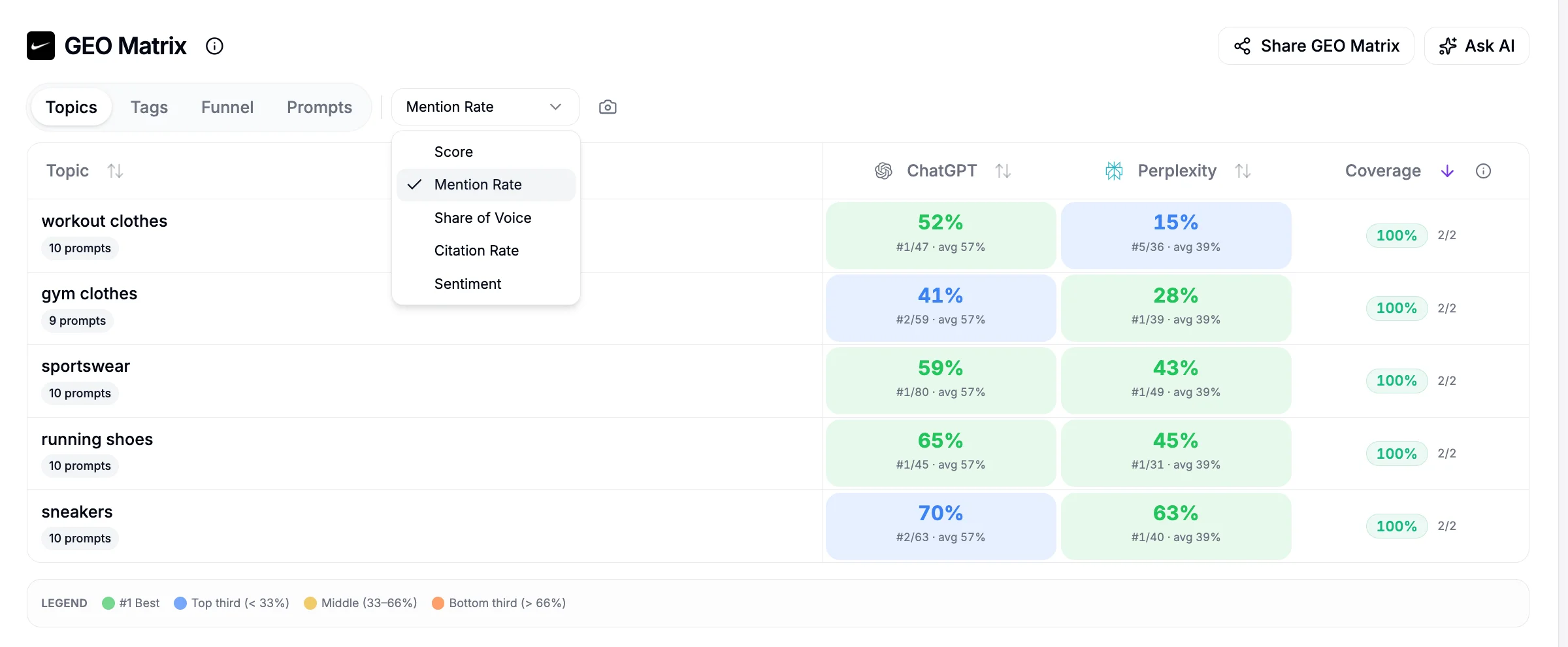
The GEO Matrix now shows competitor rankings, sub-metric breakdowns, and a metric selector.
Run a free audit: see if ChatGPT, Gemini and Copilot recommend you, in about a minute.
Switch the displayed metric across all cells:
Score - composite visibility score (default)
Mention Rate - % of responses mentioning your brand
Share of Voice - your mentions vs. all competitor mentions
Citation Rate - % of responses citing your domain
Sentiment - tone of brand mentions (0-100)
Every cell shows your rank among competitors for that topic x provider. A cell reading 42% #2/8 avg 29% means: 42% mention rate, ranked #2 out of 8, provider average is 29%. Colors reflect competitive position:
Green - #1
Blue - top third
Yellow - middle third
Orange - bottom third
A 15% share of voice with 12 competitors might be excellent (#1). 40% with only 2 competitors? Less impressive. Context matters.
Click any cell to see sub-metrics with:
Competitive rank with colored badge
Progress bar colored by ranking
Top 5 competitors and top 5 sources for that cell
Navigate to Cockpit > GEO Matrix to explore.
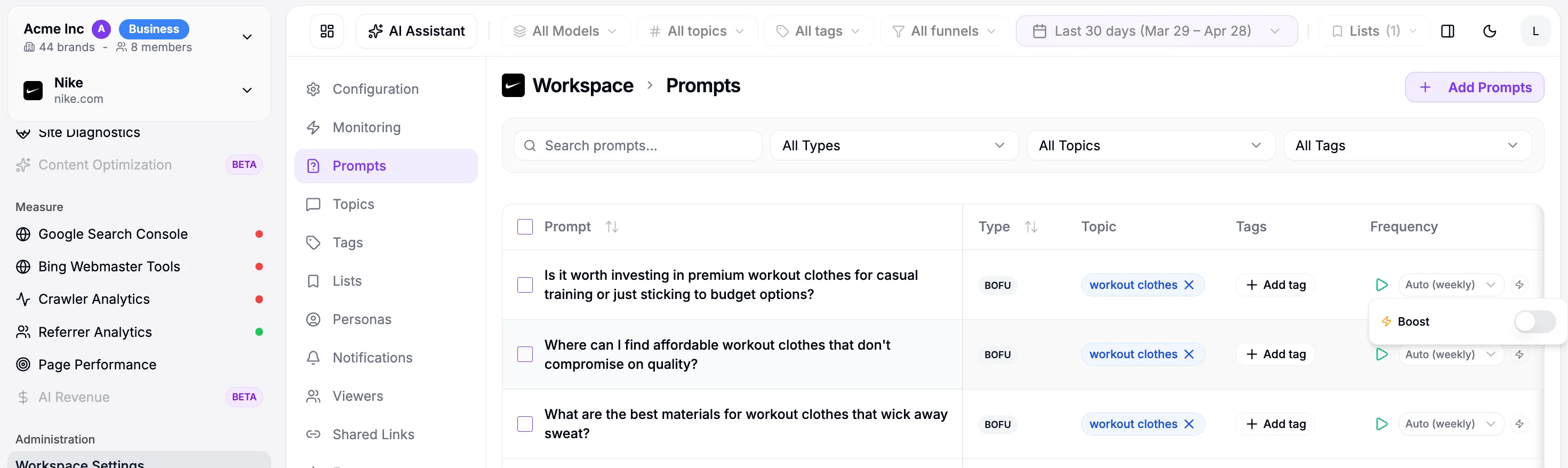
Not all prompts need the same cadence. Brand-awareness prompts: weekly. High-intent purchase prompts: daily.
Each prompt gets its own frequency: Daily, Weekly, or Monthly. Without a custom setting, it inherits the brand-level frequency. The prompts table shows frequency per row. The bulk frequency editor lets you update dozens at once.
Need more statistical confidence? Boost mode generates up to 20 responses per prompt per run instead of 1. More responses = more reliable mention rates and sentiment scores.
Before running a monitoring cycle, Qwairy shows the estimated credit cost based on prompt count, frequencies, and boost settings. Setup: Workspace > Monitoring for brand-level, or Workspace > Prompts for per-prompt.
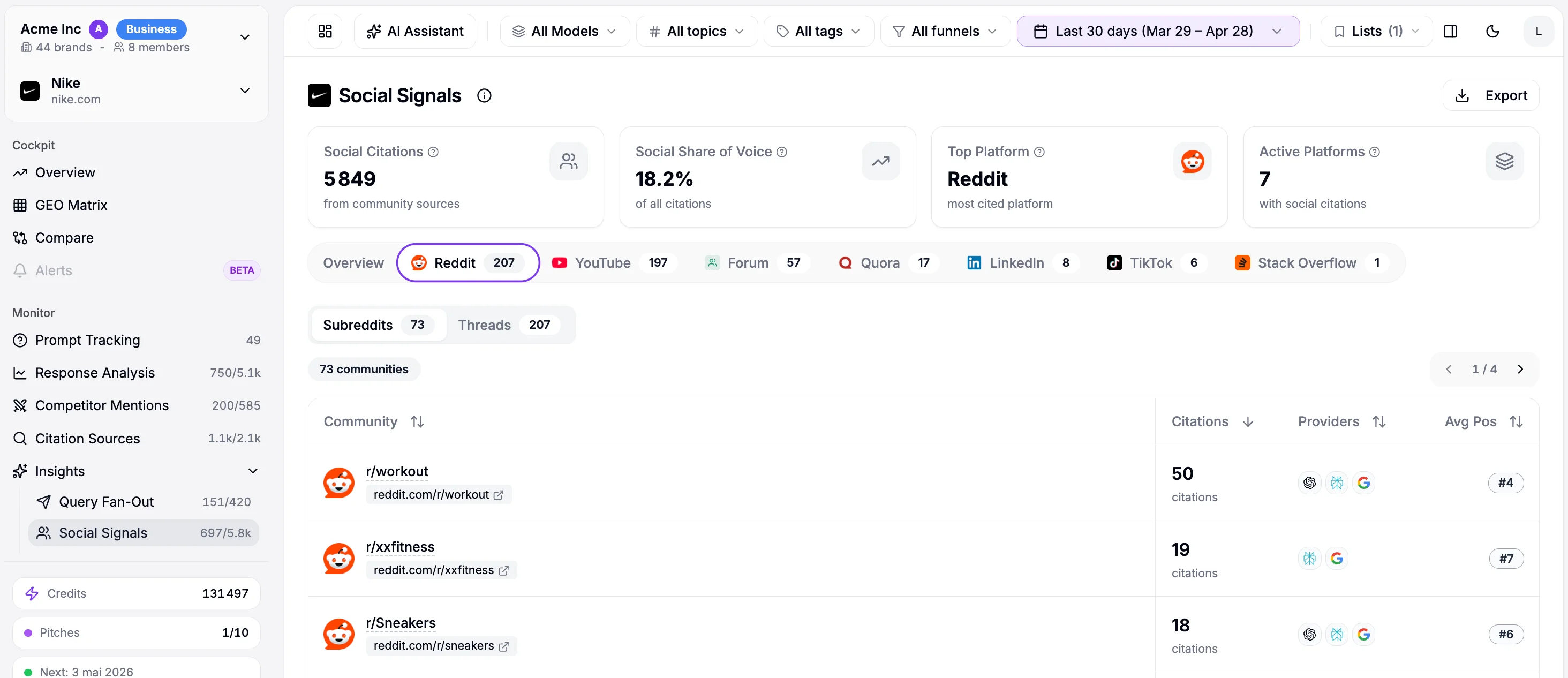
The old Social Insights mixed Reddit, YouTube, Hacker News, X, LinkedIn, Quora, and forums into one long table. Finding Reddit communities vs. YouTube channels meant scrolling and filtering. Not anymore.
Citations are now grouped by platform. Each platform gets its own tab with two sub-views:
Communities - forums, subreddits, channels, groups where your brand appears. Citation count, providers, average position, and on-page presence status
Citations - individual AI responses citing social sources for this platform
See your mentions across ChatGPT, Claude and Perplexity in real time, the moment buyers ask.
For each community, Qwairy checks whether your brand is actually mentioned on the source page. This closes the loop between "AI cites this Reddit thread" and "our brand is on that page."
Present - your brand is on the cited page
Partial - mentioned on some cited pages, not all
Absent - not mentioned on any cited page
Not checked - pending analysis
Find Social Insights under Monitor > Insights > Social Signals.
Filter Visibility - empty states clearly indicate active filters with one-click reset. Sidebar shows filtered vs. total counts
GEO Matrix API - public endpoint for programmatic access to scores, rankings, and filters
Everything is live. Pick what matters most:
Already on Qwairy? All features are in your dashboard now. New here? Start free | Book a demo | GEO Guide
Track your mentions across ChatGPT, Claude, Perplexity and all major AI platforms. Join 1,500+ brands monitoring their AI presence in real-time.
Free trial • No credit card required • Complete platform access
Other Articles
Source Authority: Find the Sources That Shape AI Answers
Source Authority reveals which domains consistently shape monitored AI answers, turning citation reach, consensus, momentum, breadth, and context into a practical source strategy.
Agencies: Turn AI Visibility Audits into New Business
A practical playbook for turning unlimited AI visibility audits without automatic expiration into an agency growth engine, from lead magnet to monitoring.