Loading page

Qwairy v1.20 adds Follow-Ups, multi-country workspaces, a Post-purchase stage and personas, with a catalogue of 18 AI engines from 15 providers, including Claude in its real interface.
AI visibility usually stops at the answer: did your brand appear, and where? But an answer is only one moment in a longer conversation. Before it, the engine runs its own web searches. After it, it suggests what to ask next. The same question gets a different answer in France and in Germany. And customers keep asking questions long after they buy. Qwairy v1.20 follows the whole conversation.
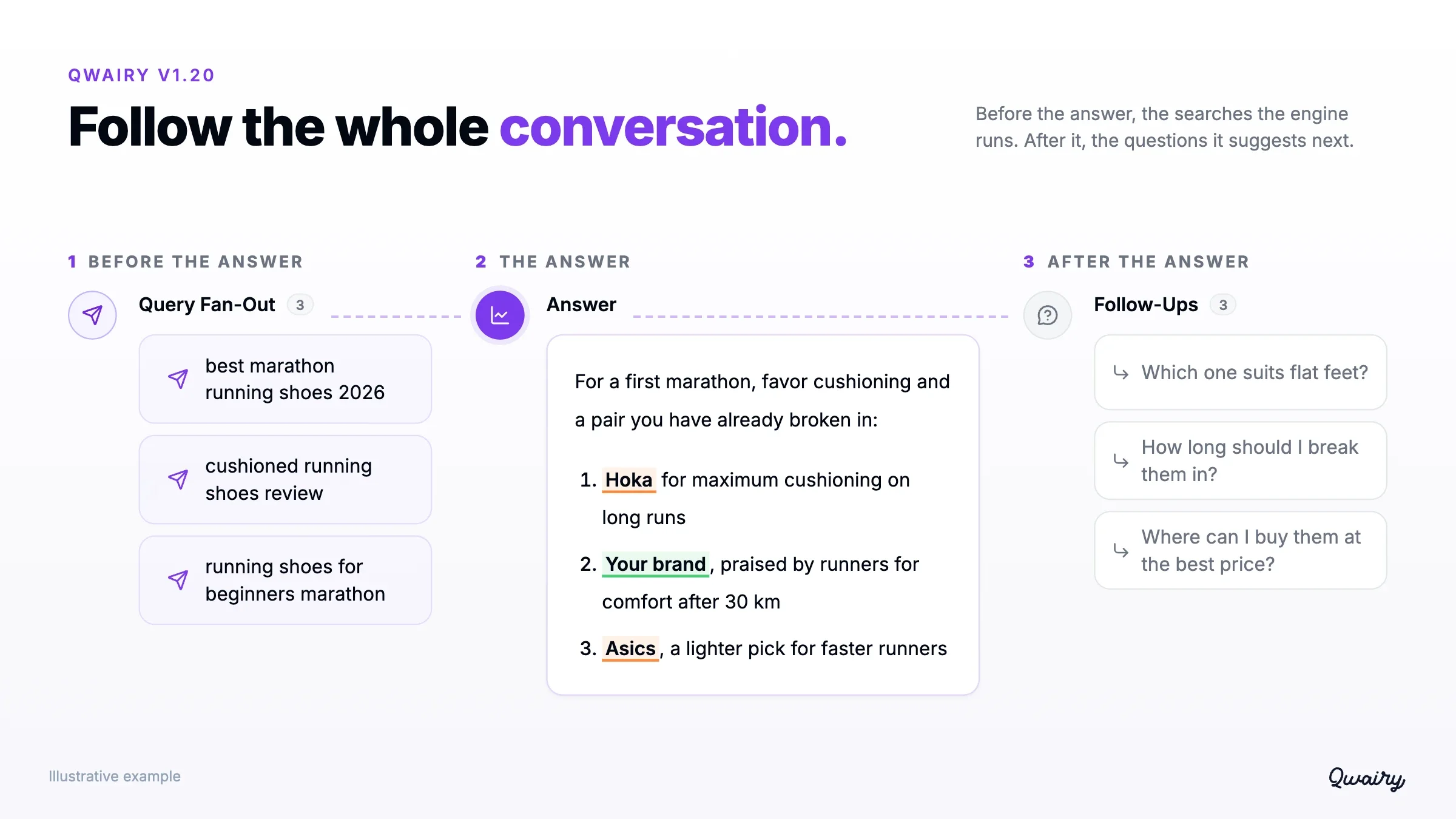
Take a prompt such as "What are the best running shoes for a first marathon?". With v1.20, you can see the searches an engine ran to answer it, the questions it suggests next, how the answer changes between France, Germany and the United States, how it reads for a first-time runner, and what customers ask once they have bought their pair. This release brings:
It also comes with a wider engine catalogue: 18 AI engines from 15 providers, including Claude read in its real interface.
After answering "What are the best running shoes for a first marathon?", an engine may suggest "Which one suits flat feet?" or "How long should I break them in?". Those suggestions show where the conversation is likely to go next, and which angles your monitoring does not cover yet.
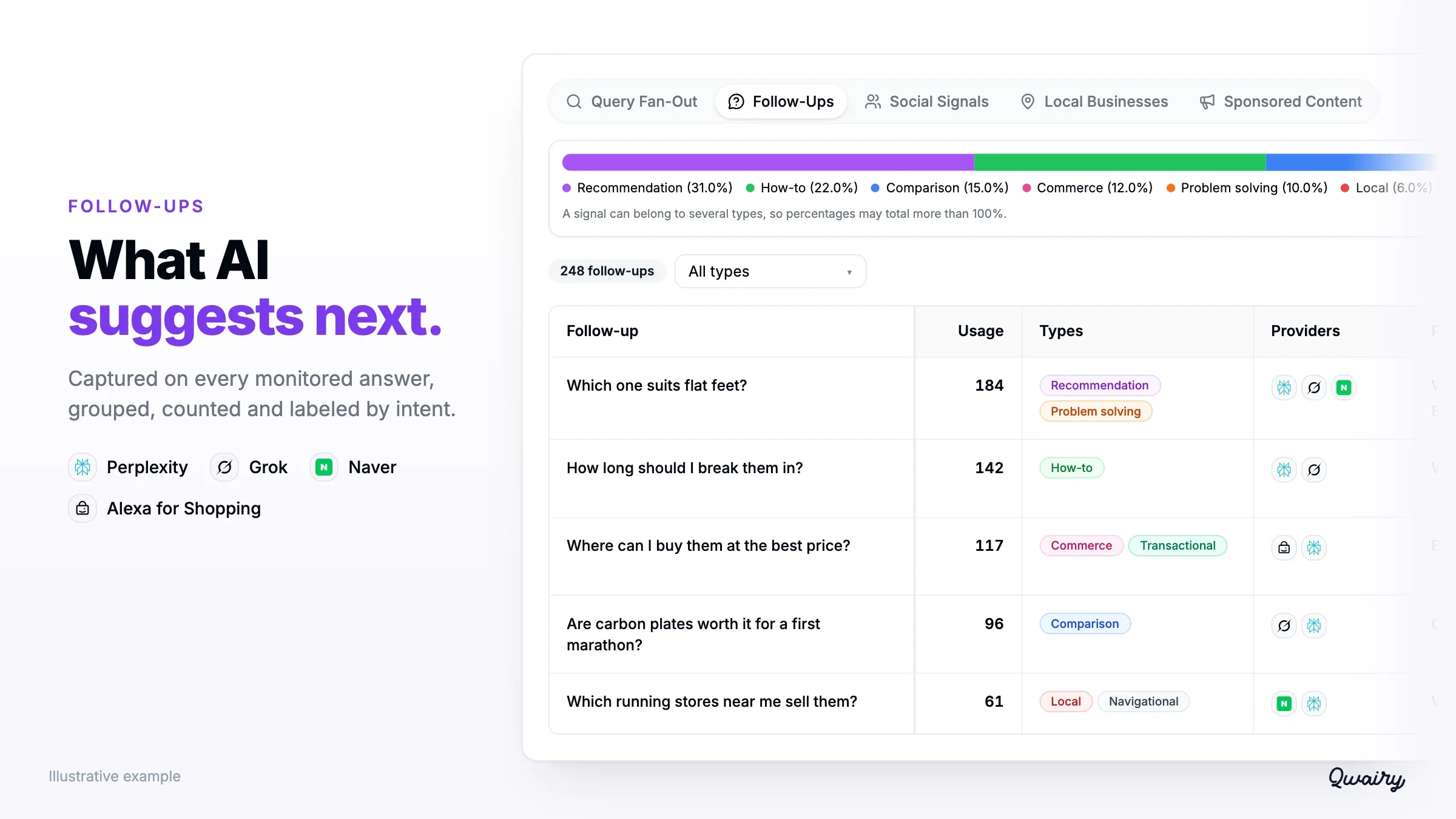
Qwairy now captures them on every monitored answer from these engines, with the prompt they came from, the engine, the model and the date. The new Follow-Ups page, next to Query Fan-Out in Monitor, groups identical suggestions and counts how often each one appears. Open the source answer to see the context, then decide whether a follow-up deserves its own prompt. Each Follow-Up receives up to three intent labels: Informational, Recommendation, Comparison, How-to, Problem solving, Transactional, Navigational, Local or Commerce. Filter on the intents that matter to you, and find the same data in exports, the REST API and MCP.
Query Fan-Out lists the web searches an engine runs while building its answer, such as "best marathon running shoes 2026" or "cushioned running shoes review". These searches now receive the same intent labels as Follow-Ups, with a breakdown by intent. You can see at a glance whether an engine is comparing options, looking for recommendations or checking where to buy.
Many brands sell in more than one country, and AI answers change from one market to the next. Until now, that meant one workspace per country.
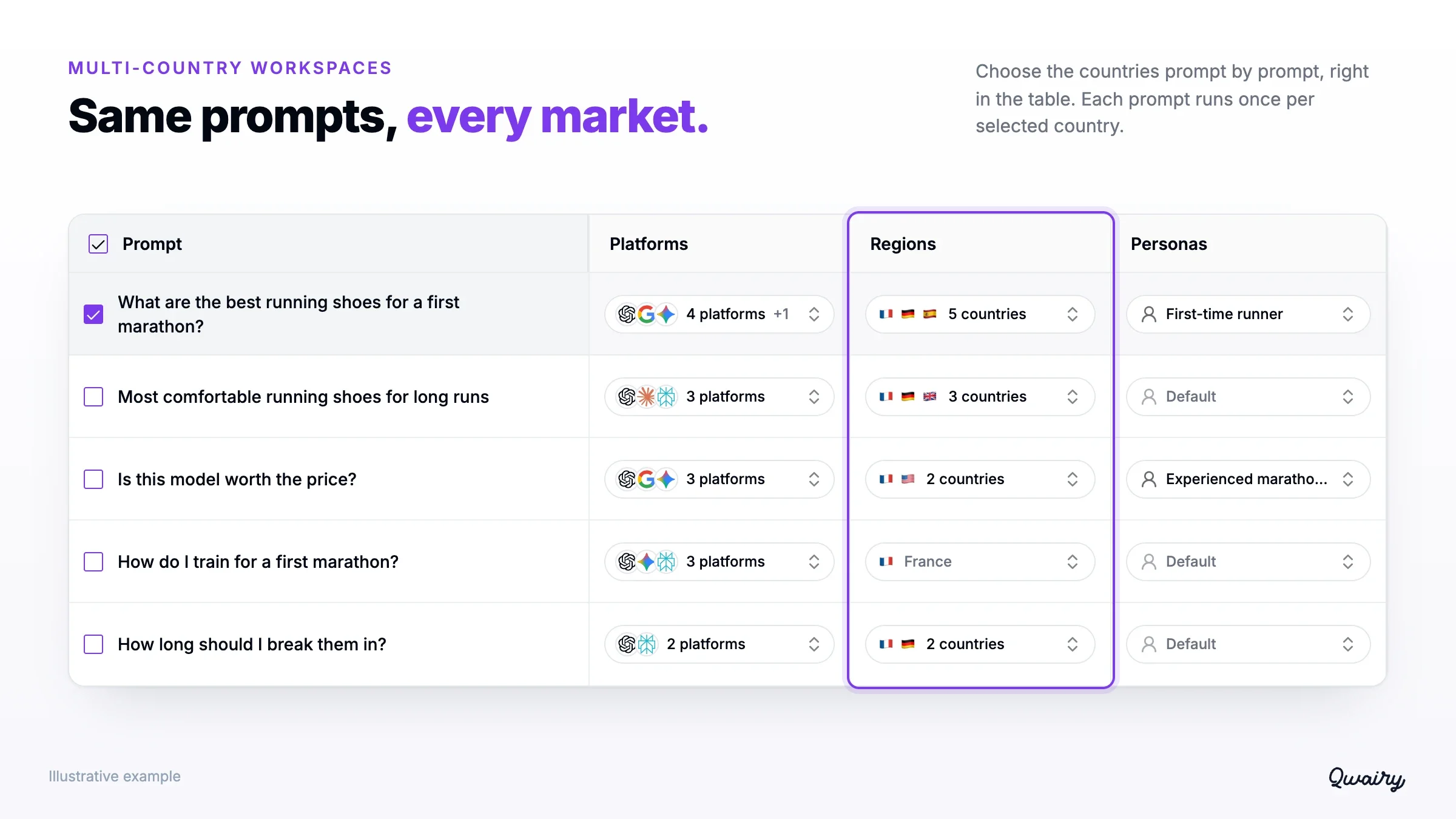
A workspace can now cover several countries. It keeps one language and a default country, and you add the countries where you want to measure your visibility. Existing prompts keep running in the default country, so adding a country to the workspace changes nothing until you use it. You then choose countries prompt by prompt: in the prompt table, in the Add prompt dialog, with a bulk action or through a Countries column in your CSV import. A prompt runs once per selected country, and its credit estimate shows it before you confirm. When an engine is not available in a country, that combination is skipped. Each answer keeps the country it was generated for. As soon as a workspace has two countries, a Countries filter appears on performance, competitors, sources, GEO Matrix, responses, prompts, Follow-Ups, shared views and exports, and performance and competitor analyses get a country breakdown. The REST API and MCP accept the same filter for answers, prompts and Follow-Ups.
Prompts were organized along the buying journey, from discovering a need to choosing a solution. v1.20 adds a fourth stage, Post-purchase, for the questions people ask once they are customers: "How long should I break them in?", "When should I replace them?".
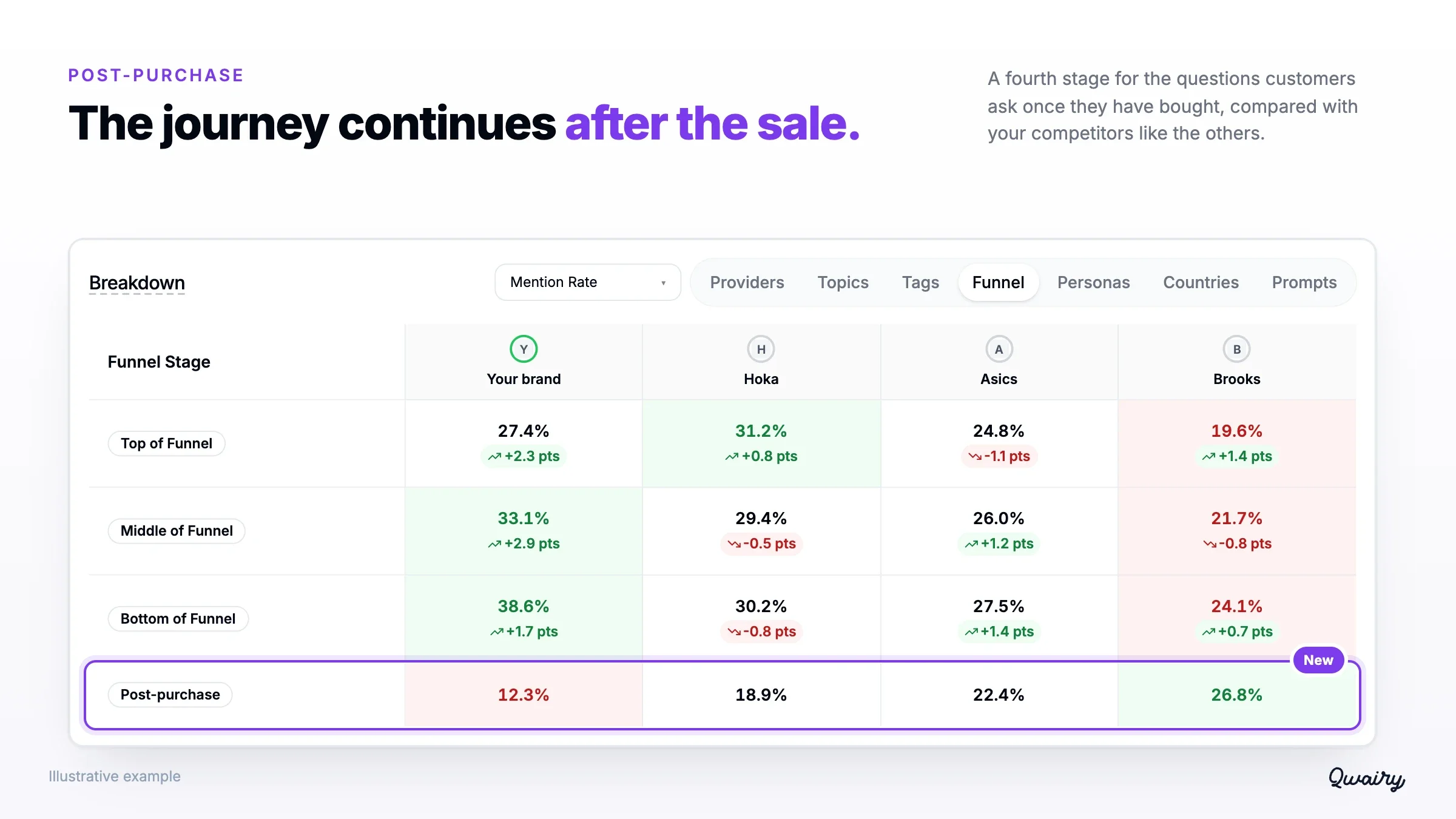
These answers shape how customers use your product, solve their problems and talk about you. Assign the stage when you create or import a prompt, or pick it in Generate with AI. New workspaces start with a first Post-purchase prompt. Then filter and compare your results by stage across the dashboard, the GEO Matrix, exports, shared views, the REST API, MCP and the n8n node.
Your customers do not only ask ChatGPT. They ask Gemini, Perplexity, Copilot, Grok, Google's AI Overviews and AI Mode and, depending on the market, Naver in South Korea, Wenxin in China or Alexa for Shopping on Amazon. Qwairy's catalogue now spans 18 AI engines from 15 providers, monitored across 240+ countries and 45+ languages.
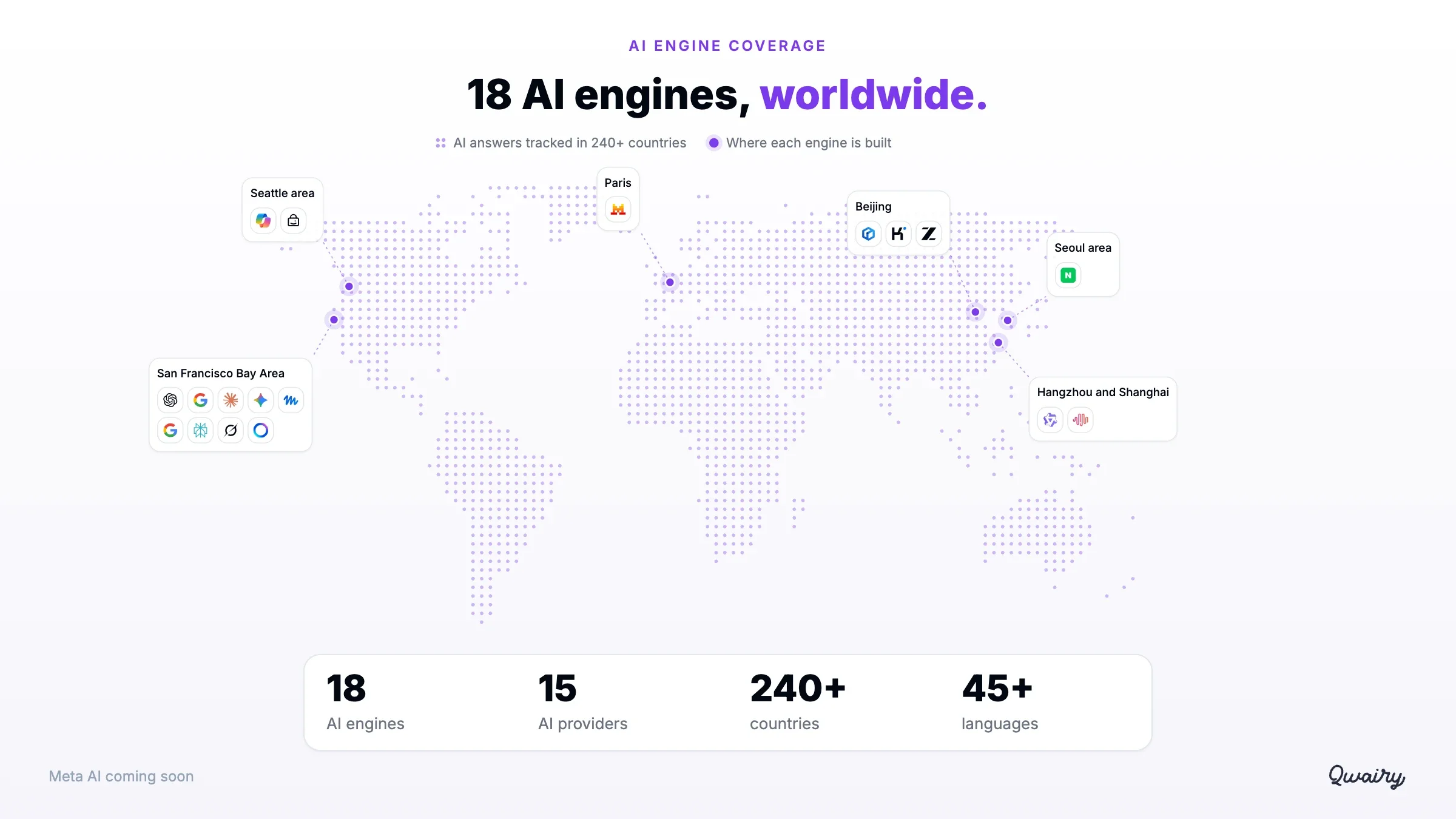
Qwairy reads engines in two complementary ways:
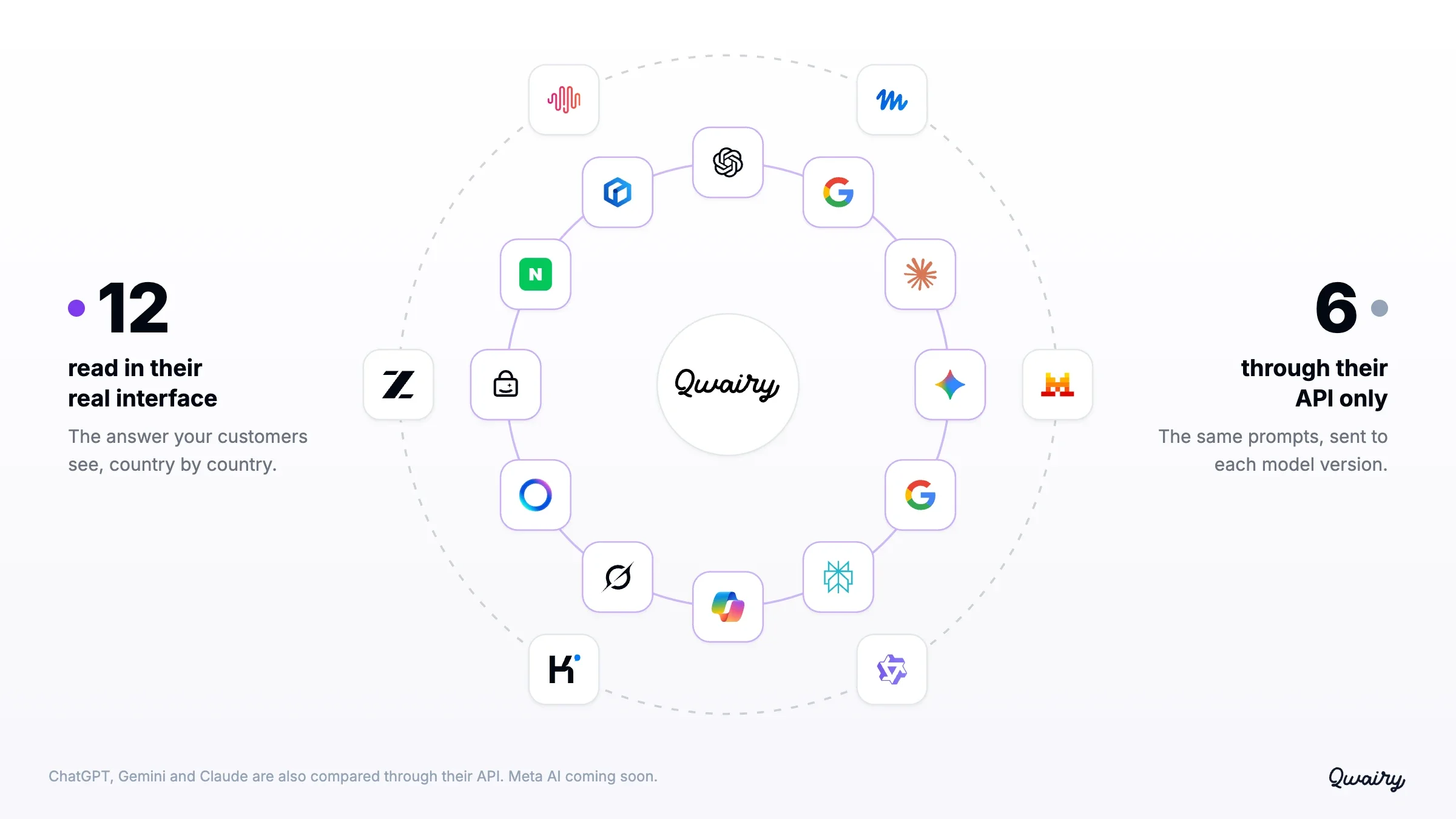
New in the catalogue: Claude, Naver, Wenxin and Alexa for Shopping, read in their interface as Beta Core models at 1 credit per collected answer, and premium API models from Qwen, Kimi, GLM, MiniMax and Meta's Muse Spark (Beta).
Run a free audit: in a few minutes, ChatGPT, Gemini and Perplexity answer 8 buying questions about your market live, and you see who they recommend.
Until now, Claude could only be compared through its API. It is now also read in its public interface, with web search, like the people who ask it questions.
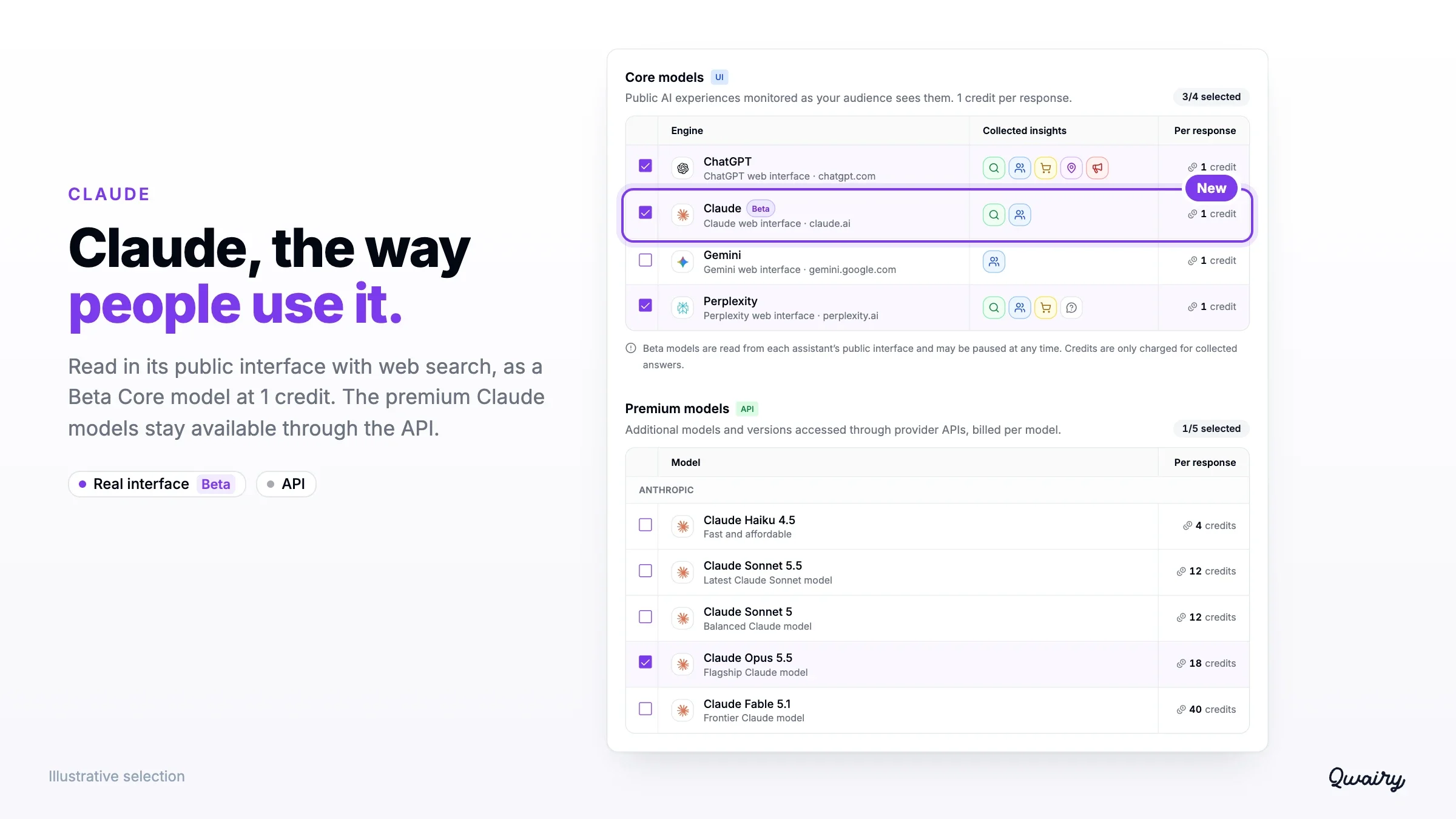
You see the answer people actually read, the sources Claude cites, the searches it runs in Query Fan-Out and the social platforms among its sources. Claude is available as a Beta Core model at 1 credit per collected answer, and the premium Claude models remain available through the API to compare versions side by side. Explore Qwairy's AI engine coverage | See how Qwairy tracks Claude
A persona is now simple: a name and a free description of up to 500 characters, for example "First-time runner training for a city marathon, on a budget". Assign one or more personas to a prompt and Qwairy runs it from each of those points of view. Without a persona, the prompt runs in its default context.
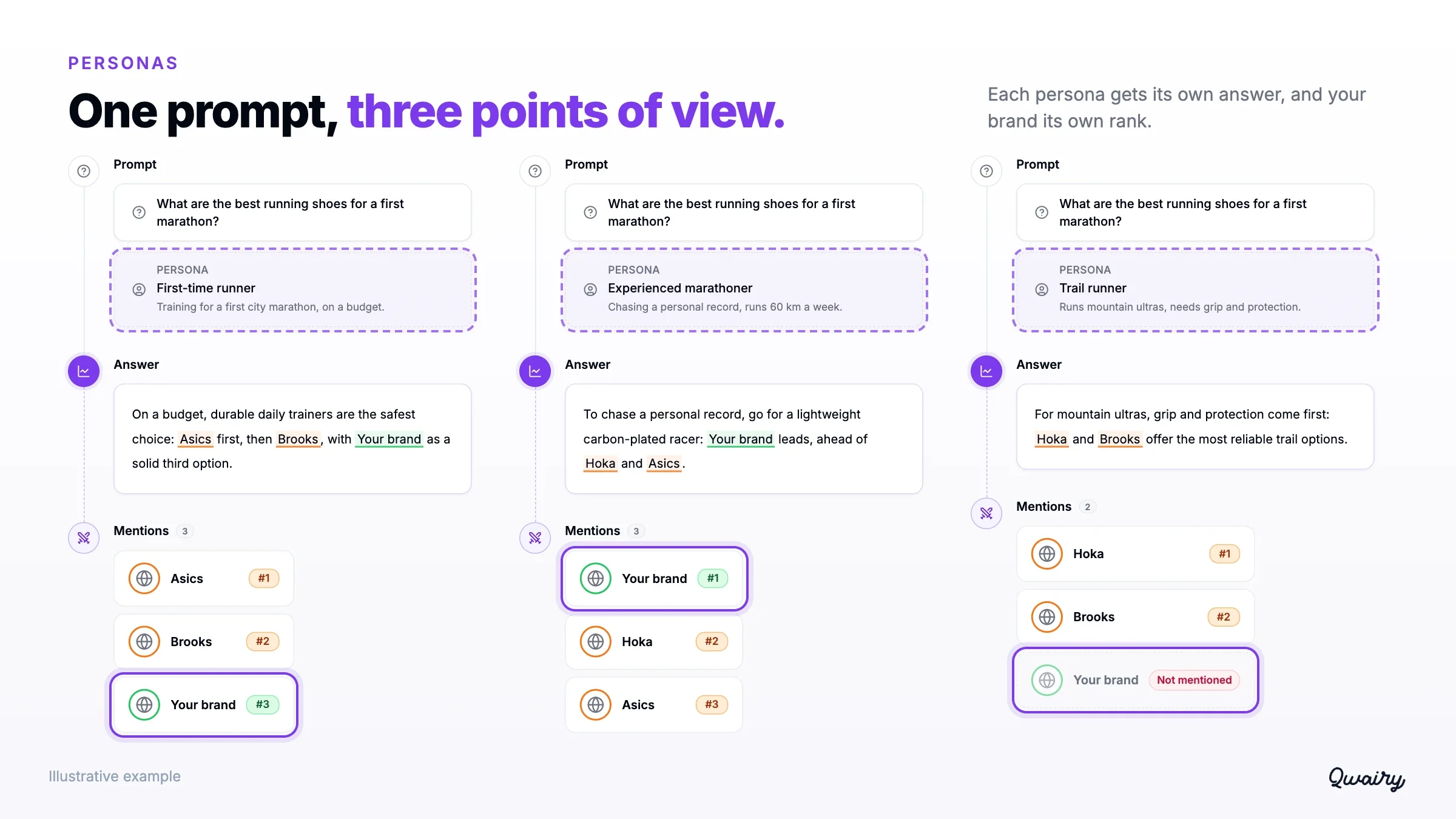
Each answer keeps the persona context it was generated with, so editing a persona later never rewrites past results. Persona filters and breakdowns let you compare how engines answer each profile.
The answer detail is rebuilt around the response itself. The text gets the full width, with its lists, tables, links and citations.
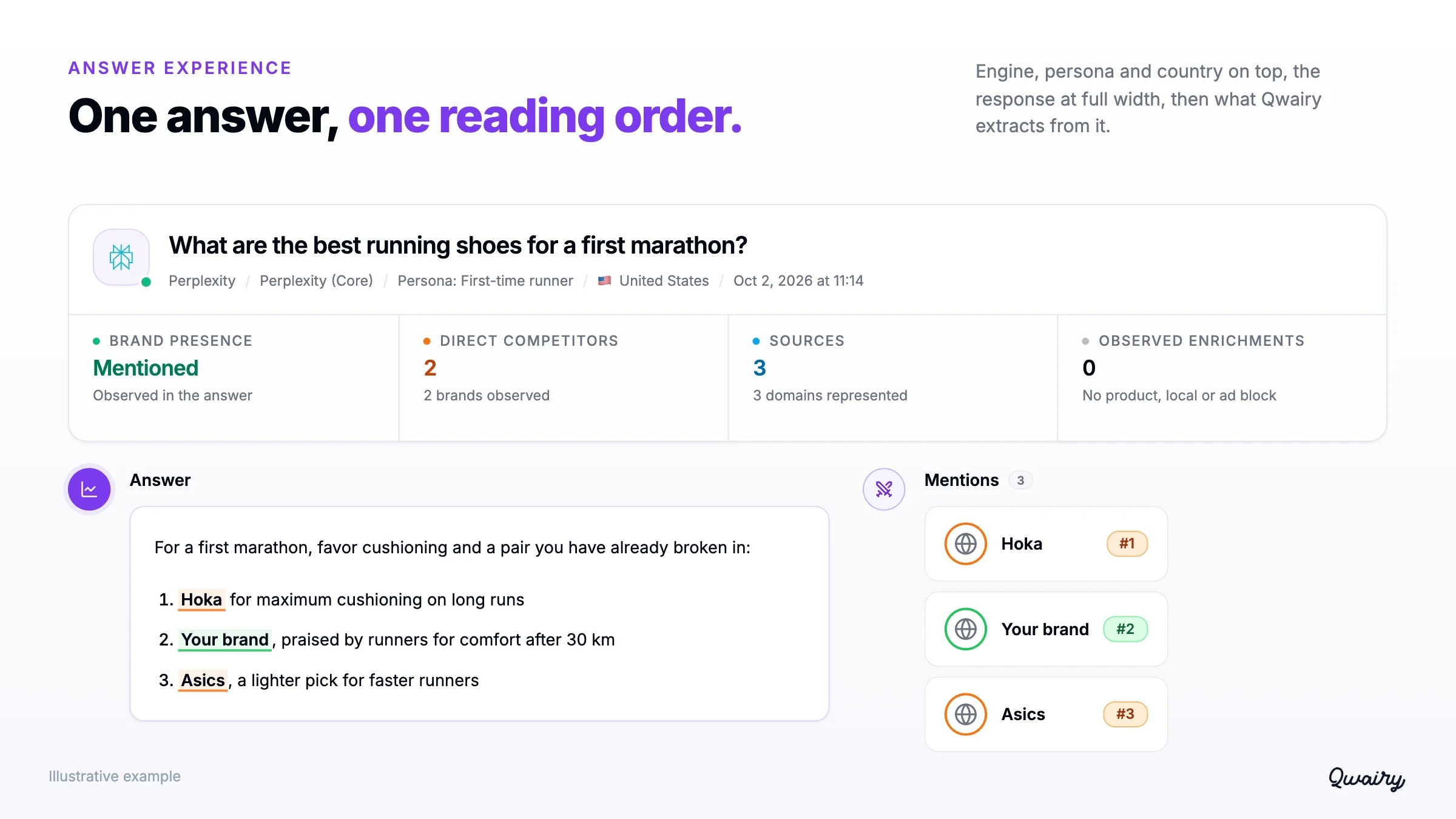
Everything Qwairy extracts from it follows one reading order: the prompt and its persona, the country, the Query Fan-Out searches, brand mentions, sources, products, local businesses and Follow-Ups, when available. Each section starts short and expands when you need more. The provider's response stays the evidence, and Qwairy's insights help you read it, in the side panel and on the full page alike.
When ChatGPT recommends running stores, restaurants or agencies, the Local Businesses page now places them on a Map, alongside the Overview, List and Opportunities views.
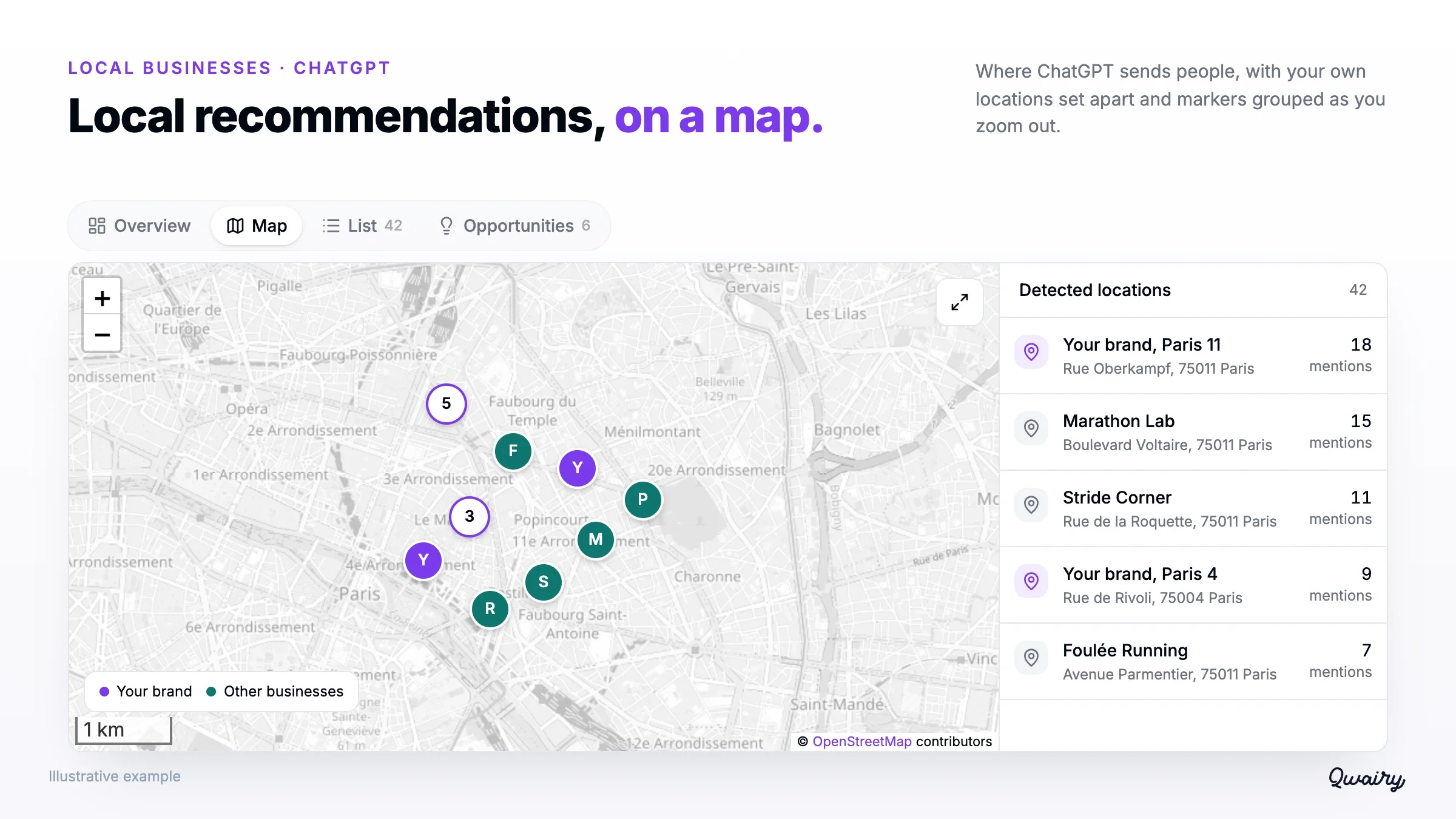
Markers group together as you zoom out, and your own locations stand out from the others. Select a place to see its details. The map follows the selected period and filters, and places without usable coordinates stay in the list, where you can search them by name or address. The Opportunities view reviews each local prompt and says what happened: competitors were mentioned and you were not, no brand was mentioned, or you shared the answer with competitors. Each case links to the supporting answers and suggests a next step, such as checking your business listings and location pages.
Each content opportunity is scored on AI potential, brand gap, source gaps and business impact, so your team starts where it counts.
An AI answer is one moment in a conversation. v1.20 lets you see the rest of it. Start with Qwairy | Book a demo | Explore AI engine coverage
Track the questions that matter to your business, see which brands each answer mentions and which sources it cites, then work on the gaps.
Free plan with 120 initial credits • No credit card required
Other Articles
Qwairy v1.19: Source Authority, Agent Skills & Connected Analytics
Qwairy v1.19 introduces Source Authority, 36 Agent Skills, rebuilt Crawler Analytics and broader analytics connections to turn AI visibility data into action.
Qwairy v1.18 Product Update: AI Revenue & Action Center
AI Revenue moves to GA with three-layer attribution and a self-serve GA4 setup, the Action Center leaves beta on every paid plan, and a new Pitch Audit lets agencies run one-shot GEO audits on prospects. Plus a refreshed Premium Models catalog and the MCP server now available from Starter.