
Loading page
Set up GA4 to measure visitors from ChatGPT, Perplexity, Claude and other AI platforms. Includes referrer patterns, regex filters, and traffic quality analysis.

Your Google Analytics data contains a hidden traffic source most marketers completely miss. When users click links in ChatGPT , Perplexity , or Claude responses, they land on your site - but GA4 buries these visits under generic "Referral". In this article you will learn how to find:
How many visitors came from ChatGPT last month?
Which AI platform sends the highest-quality traffic?
What content do AI platforms actually drive traffic to?
This guide provides the patterns, regex filters, and workflows to properly track AI traffic and measure your GEO ROI.
Based on referrer header patterns, here are the 6 categories ranked by tracking reliability:
Platform | Tracking Reliability | Why It Matters |
Perplexity | Very High | Always sends clean referrer headers |
Claude | High | Web interface referrers are reliable |
ChatGPT Web | High | Desktop/web traffic tracks well |
Copilot | Medium | Enterprise proxies sometimes strip referrers |
ChatGPT Mobile | Low | iOS/Android apps often show as Direct |
AI Overview | Very Low | Indistinguishable from google.com organic |
Google AI Overview clicks are essentially untrackable as AI traffic at the moment - they appear as standard google.com referrals mixed with organic search.
When someone clicks a link in an AI response, here's what appears in your GA4 referrer data. Use these patterns to build your tracking configuration.
chat.openai.com
chatgpt.com
These are the primary web referrers. Mobile app traffic (ios-app://com.openai.chat) rarely preserves referrer headers and typically appears as Direct.
perplexity.ai
www.perplexity.ai
Perplexity is the most reliable AI referrer. Their web interface consistently passes referrer data, making it the best benchmark for AI traffic analysis.
claude.ai
Claude web traffic tracks reliably. As Claude usage grows, this referrer is becoming increasingly significant in analytics data.
copilot.microsoft.com
bing.com/chat
edgeservices.bing.com
Copilot traffic comes from multiple Microsoft properties. Enterprise users behind corporate proxies may not pass referrer data.
gemini.google.com
bard.google.com
Gemini traffic is trackable, but represents a small portion of Google AI interactions. Most Google AI traffic comes through AI Overview, which is not separately trackable.
Use this regex in GA4 to capture all major AI referrers in one filter:
(chat\.openai\.com|chatgpt\.com|perplexity\.ai|claude\.ai|copilot\.microsoft\.com|gemini\.google\.com|bing\.com/chat)
This pattern works in GA4's "Source matches regex" condition and captures the primary AI platforms while excluding their mobile apps (which don't reliably pass referrers anyway).
Setting up AI traffic tracking requires creating a custom channel group. Here's the systematic approach:
Step 1: Access Channel Groups Navigate to Admin → Data display → Channel groups. Click "Create new channel group" and name it something clear like "Default + AI Channels."
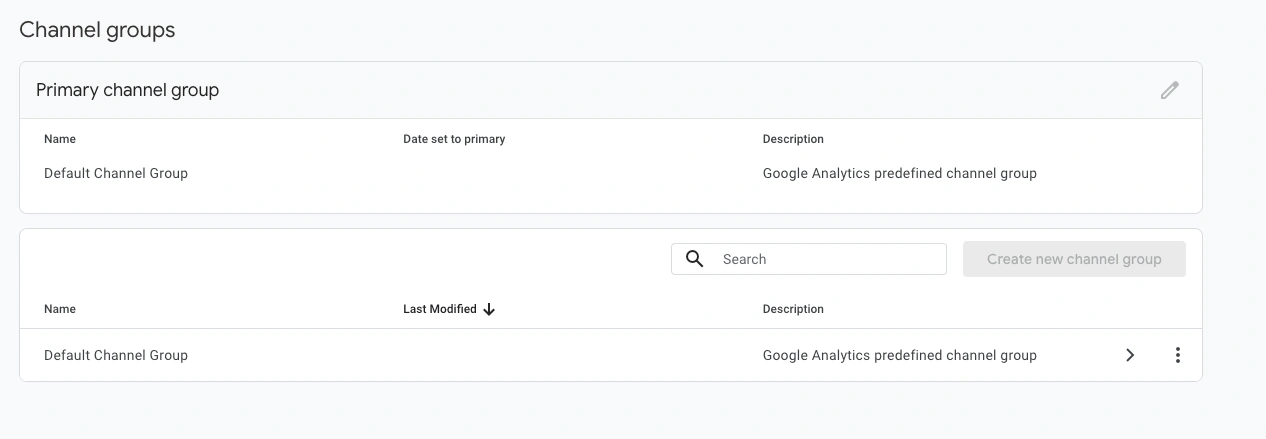
Step 2: Add AI Assistants Channel Click "Add new channel" and configure:
Channel name: AI Assistants
Condition: Source matches regex
Value: (chat\.openai\.com|chatgpt\.com|perplexity\.ai|claude\.ai|copilot\.microsoft\.com|gemini\.google\.com|bing\.com/chat)
Step 3: Set Channel Priority This is critical. Drag "AI Assistants" above "Referral" in the channel list. GA4 evaluates channels top-to-bottom. If Referral appears first, it captures AI traffic before your custom channel can match.
Step 4: Apply to Reports Go to Reports → Acquisition → Traffic acquisition. Click the channel dropdown and select your new channel group. AI traffic now appears as its own line item.
Run a free audit: see if ChatGPT, Gemini and Copilot recommend you, in about a minute.
For granular analysis, create separate channels for each AI platform:
Channel Name | Regex Pattern |
ChatGPT | `chat\.openai\.com|chatgpt\.com` |
Perplexity | `perplexity\.ai` |
Claude | `claude\.ai` |
Copilot | `copilot\.microsoft\.com|bing\.com/chat` |
Gemini | `gemini\.google\.com` |
This lets you compare traffic quality across platforms and identify which AI sources drive the most valuable visitors.
**Quick win**: Start with the combined "AI Assistants" channel. Once you have baseline data, split into per-platform channels to identify your highest-value AI traffic sources.
Not all AI traffic shows referrers. Several factors cause AI visits to appear as "Direct" traffic:
Cause | Impact | Affected Platforms |
Mobile apps | High | ChatGPT iOS/Android, Copilot mobile |
Privacy browsers | Medium | All platforms via Brave, Firefox strict |
Enterprise proxies | Medium | Copilot, corporate ChatGPT |
HTTPS→HTTP | Low | All platforms (if your site has HTTP pages) |
Why this matters for measurement: If you only track visible AI referrers, you underestimate actual AI traffic by 30-50%. Dark traffic analysis is essential for accurate GEO ROI calculation.
Look for these signals in your Direct traffic that suggest hidden AI visits:
Pattern 1: Correlation with AI Visibility Track your AI mention rate alongside Direct traffic trends. If mentions increase and Direct traffic spikes without other explanation, you've found dark AI traffic. You can track if mention increase on Google Search Console.
Pattern 2: Long-tail Landing Pages
Nobody types yoursite.com/complete-guide-to-choosing-the-best-crm-software-2025 manually. Direct traffic to long-tail content URLs likely comes from AI citations.
Pattern 3: Mobile Direct Surges If mobile Direct traffic increases without corresponding mobile campaigns or app installs, mobile AI apps are a likely source.
Use this formula to estimate total AI traffic including dark traffic:
Estimated AI Traffic = Visible AI Referral × (1 / Platform Reliability Rate)
For a rough estimate, multiply visible AI traffic by 1.5-2x to account for mobile app dark traffic. Refine this multiplier over time by correlating with AI visibility data.
Volume alone doesn't tell the full story. AI traffic typically exhibits different engagement patterns than other referral traffic.
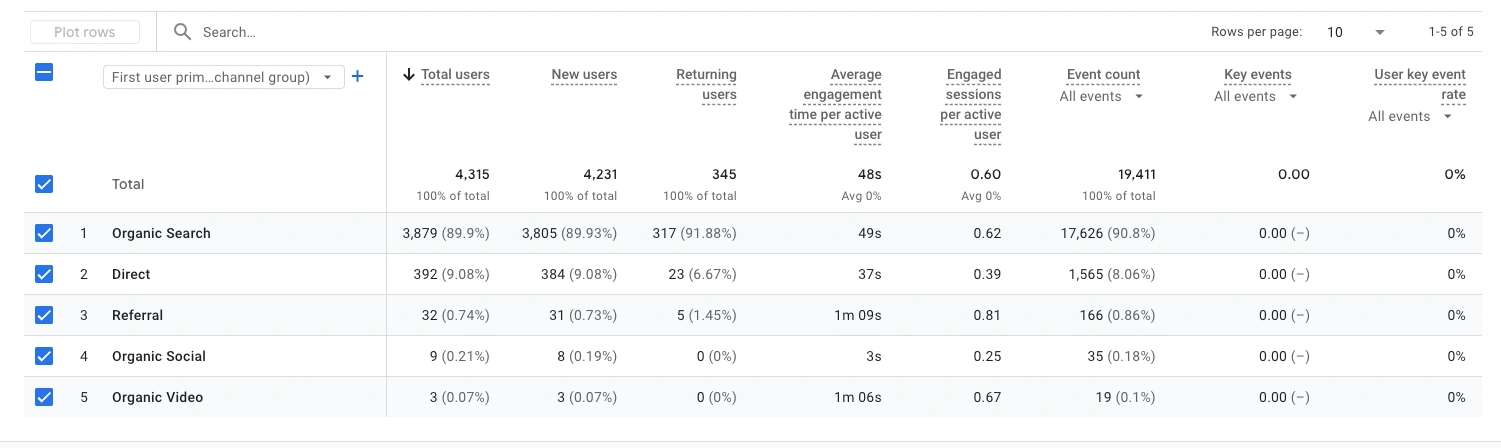
Metric | Why It Matters | Expected AI Performance |
Engagement rate | Do visitors interact? | Higher than average referral |
Pages per session | Exploration depth | Varies by content type |
Conversion rate | Business impact | Often higher than organic |
Bounce rate | Content relevance | Lower when AI cites relevant pages |
Why AI traffic converts well: Users clicking from AI responses have already:
This is fundamentally different from discovery traffic. AI visitors are closer to purchase decisions - similar to branded search or bottom-funnel paid traffic.
See your mentions across ChatGPT, Claude and Perplexity in real time, the moment buyers ask.
Create a GA4 Exploration to compare AI traffic quality:
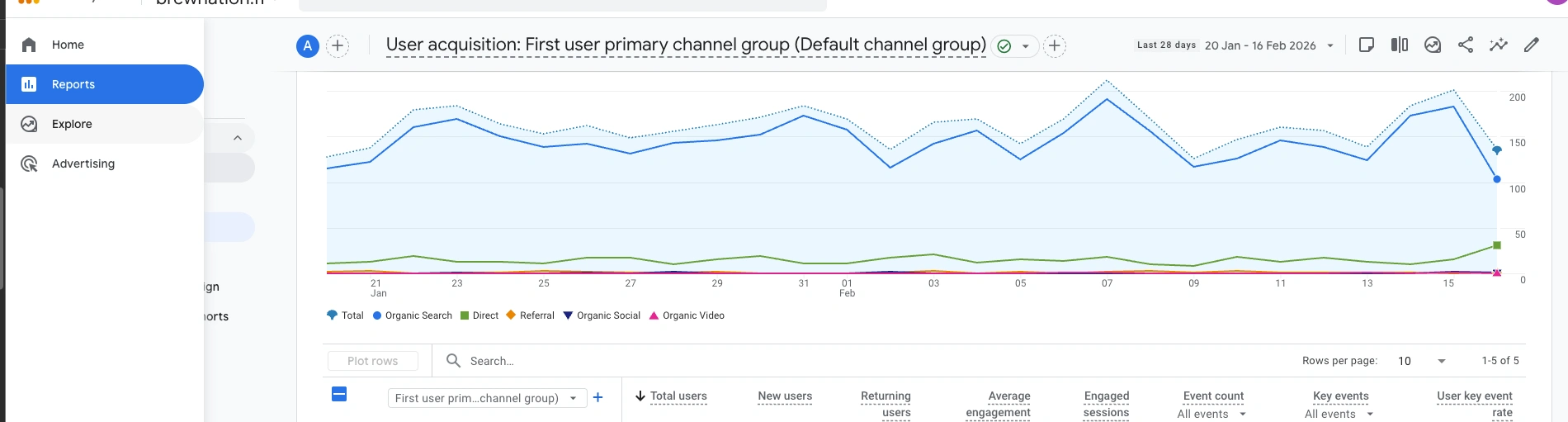
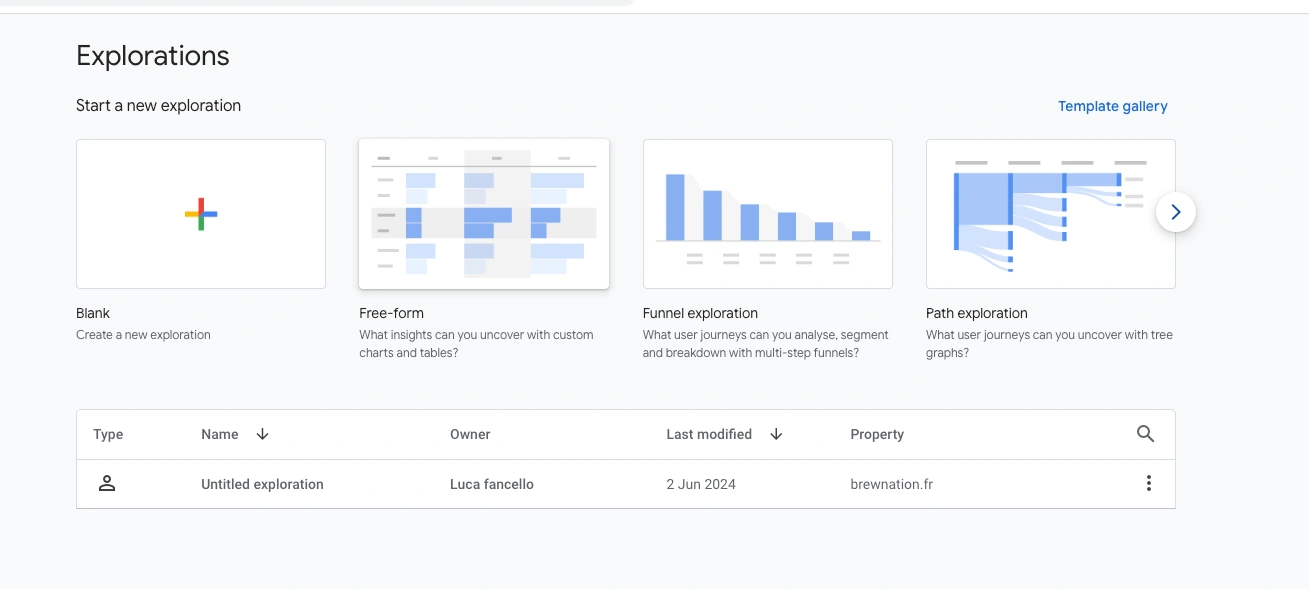
This report reveals whether AI traffic deserves dedicated optimization effort based on actual conversion performance, not just volume.
**Key insight**: Small AI traffic volume with high conversion rate may be more valuable than large organic volume with low conversion. Measure quality, not just quantity.
AI traffic tracking becomes powerful when combined with AI visibility monitoring . The correlation reveals actionable insights.
When AI platforms mention you more, traffic should increase. Track these correlations:
Visibility Change | Expected Traffic Impact |
New query mentions your brand | Traffic to related content pages |
Mention rate increases | Proportional referral increase |
Competitor mentions decrease | Your traffic share grows |
If visibility increases but traffic doesn't, investigate:
Are mentions including links?
Is cited content relevant to user intent?
Are mobile apps stripping referrers (dark traffic)?
Traffic data reveals which AI citations actually drive clicks:
Traffic Pattern | What It Means | Action |
High traffic pages | Strong AI citations | Protect and expand this content |
Low traffic despite mentions | Weak citations or link issues | Improve content structure |
Traffic to unexpected pages | AI citing different content than expected | Investigate and optimize |
Manual GA4 configuration works but requires ongoing maintenance as new AI platforms emerge. Qwairy automates the entire workflow:
Automatic referrer detection identifies all AI traffic sources including emerging platforms
Dark traffic estimation correlates visibility data with Direct traffic patterns
Quality benchmarking compares AI traffic conversion against other channels
Visibility-to-traffic correlation connects mention data to actual site visits
No regex maintenance. No manual channel updates. No guessing about dark traffic.
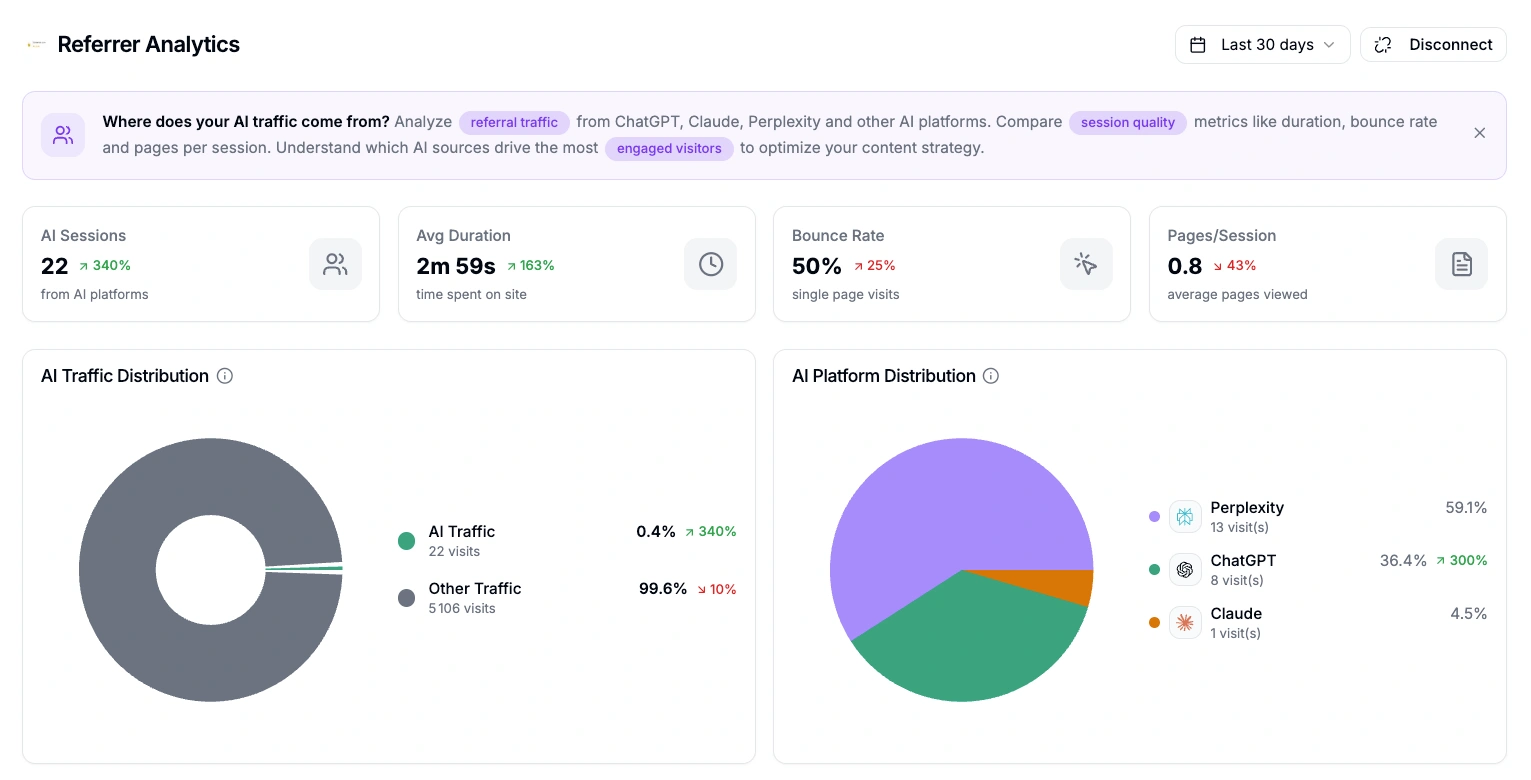
Referral analytics is available on all plans on Qwairy.
Tracking AI traffic is step one. To actually improve AI-driven acquisition:
AI traffic tracking closes the measurement loop for GEO. Without it, you're optimizing blind - unable to prove whether AI visibility actually drives business results. Start tracking AI traffic with Qwairy - automatic referrer detection, dark traffic estimation, and visibility correlation in one dashboard.
Track your mentions across ChatGPT, Claude, Perplexity and all major AI platforms. Join 1,500+ brands monitoring their AI presence in real-time.
Free trial • No credit card required • Complete platform access
Other Articles
Answer Engine Optimization (AEO): The Complete 2026 Guide
A complete, practitioner-level guide to Answer Engine Optimization: what AEO is, how answer engines like ChatGPT, Perplexity and Google AI Overviews select and cite content, the core levers, a step-by-step workflow, and how to measure it.
How to Set Up AI Referral Tracking in GA4, Plausible and Matomo
Most analytics tools miss or misclassify AI referral traffic by default. This step-by-step guide shows you how to properly track visits from ChatGPT, Perplexity, Claude, Gemini, and other AI platforms in GA4, Plausible, and Matomo.